Why Is the Small Print on My Coffee Bag Blurry?
Because it was set in a way a press cannot print sharply at that size. The two usual causes are small text built from several ink colors, and thin white text knocked out of a dark background. Both are fixed in the artwork file, before the bag is printed, and both fixes are simple.
That matters, because the blurry part of a coffee bag is almost never the logo. It is the ingredients line, the net weight, the roast date note, the website and the small legal copy on the back panel. Those are the words a customer actually reads when they pick the bag up, and the words a retailer or inspector checks.
This post goes through each cause and exactly how to set the type so it prints clean, whether your bags are printed digitally or by rotogravure.
How Should Small Text Be Colored on a Coffee Bag?
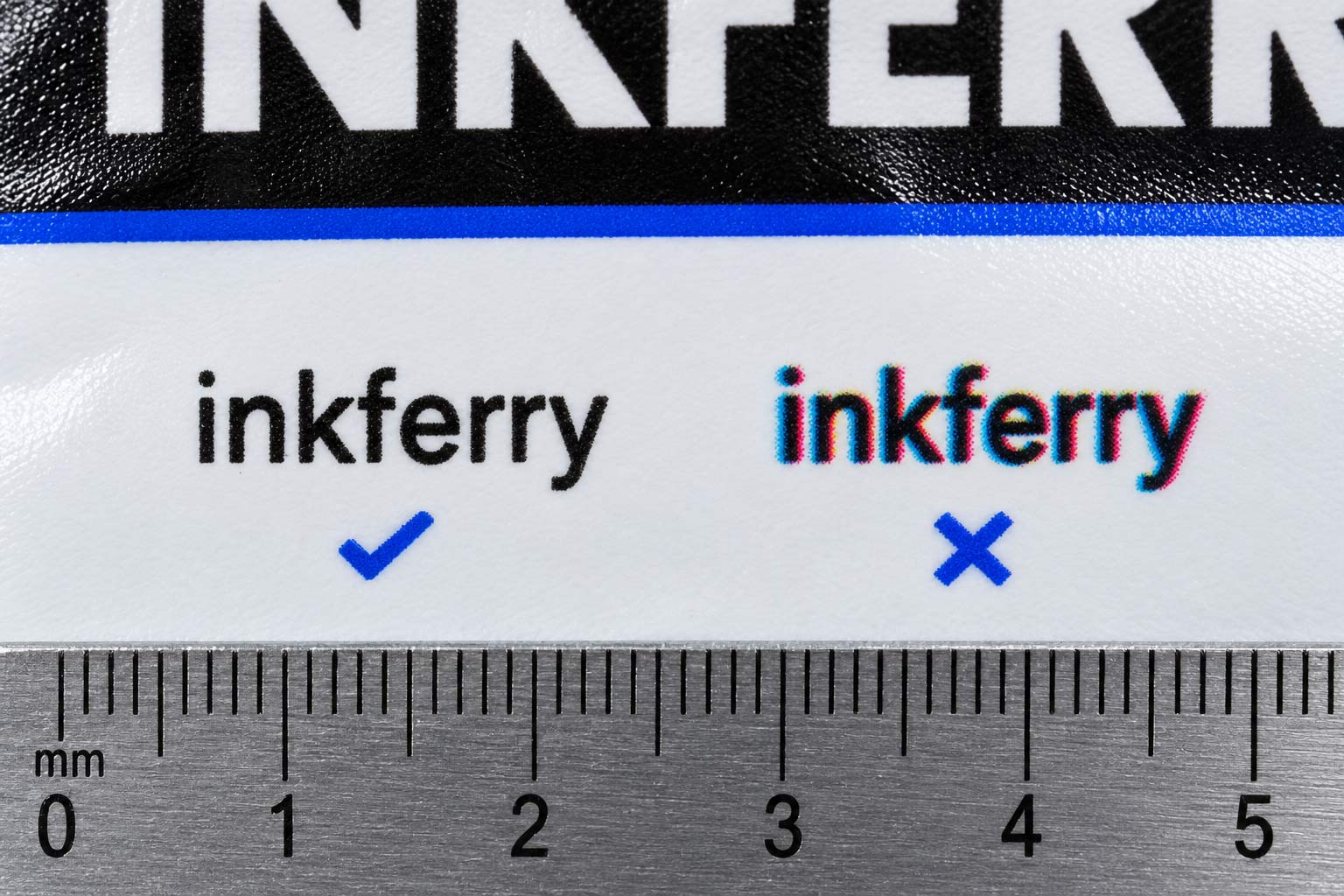
Set small text in one solid ink, not a mix. Plain black text should be 100 percent black only, not a "rich black" built from black plus cyan, magenta and yellow. Colored small text should be a single spot color or one process color, never a blend of four.
Here is why. A press lays each ink down separately, one after another. When a letter is made from four inks, all four have to land exactly on top of each other, and every press has a small tolerance in how precisely that happens. On a headline you will never see it. On a letter a couple of millimeters tall, even a tiny shift leaves a colored fringe along one edge, and the eye reads that as blur.
When the letter is a single ink, there is nothing to line up. It prints as one clean shape every time.
- Black body text: 100 percent black, nothing else in the color mix.
- Rich black: keep it for large areas and big headlines, where it looks deeper and the registration does not show.
- Colored small text: choose a color that exists as one ink in your job, and check its color build in your design file before you send it.
- Gray small text: a tint of black is fine, but very light tints break up into dots at small sizes, so keep fine copy dark.
Can I Use White Text on a Dark Coffee Bag?
Yes, and it can look great, but white text on a dark background has to be bigger and bolder than dark text on a light one. Use a sturdy sans serif, avoid thin strokes and fine serifs, and give the letters a little more size and spacing than you would in the reverse.
The reason is ink spread. When ink goes down on film, it spreads very slightly past the edge of where it was meant to stop. On dark text on a light background, that makes letters a hair heavier, which nobody notices. On white text knocked out of a dark color, the ink spreads into the white letters from every side at once, so thin strokes get narrower and small openings in letters like "e" and "a" can close up entirely.
Two more things make reversed type print better:
- Knock out of one ink. White text cut out of a solid made from four colors gets the registration fringe from the section above, on both edges. Cut it out of a single dark ink and it stays clean.
- Leave the fine print off the darkest areas. Put ingredients and legal copy on a lighter panel or a solid band, and save the dramatic reversed type for words that are large enough to carry it.
Does Small Text Print Differently on Clear or Metallic Bags?
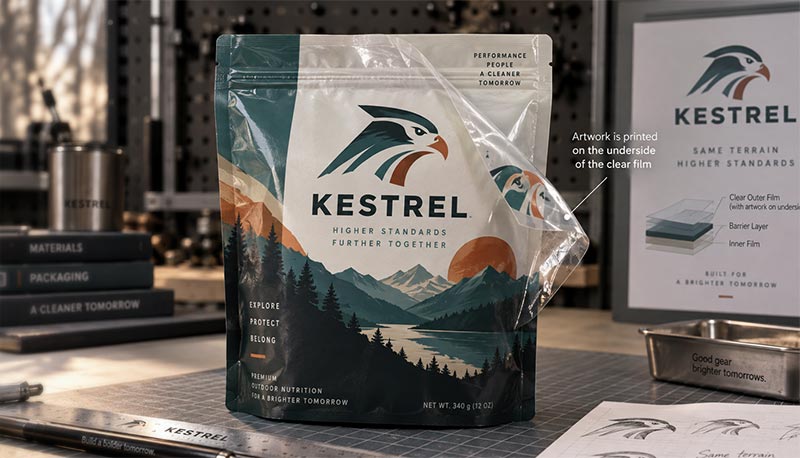
It does, because on clear and metallized films the colors need a layer of white ink behind them to look solid. On most coffee bags the ink is printed on the inside of the outer film, which we explain in
why your bag is printed on the inside, and the white layer goes down as its own separate step.
That white layer has to line up with the colors on top of it, exactly like the four inks above. Under a large logo a small offset disappears. Under a line of small text it can leave a thin white or silver edge showing along one side of every letter.
The fix is to plan where the fine print lives. Put small text on an area that has a solid white background behind it, such as a white or light panel, instead of letting it float over clear window or bare metallic film. If you love the metallic look, keep it for the brand name and the big graphics, and give the small copy its own solid panel.
Is Small Text Sharper on Digital or Rotogravure?
Both can print small text well when it is set correctly, but they behave differently at the very smallest sizes, so set your file for the press you are using.
- Rotogravure engraves everything into tiny cells on the printing cylinder, type included. At very small sizes the edges of letters can look slightly softer than the same text on digital. Keep the finest copy in one ink, and do not push it to the edge of what is readable.
- Digital prints straight from your file with no cylinders, which handles fine detail well. The single-ink and white-layer rules above still apply, because digital lays down colors and white as separate layers too.
The minimum text size that prints cleanly depends on the film, the ink and the press, so there is no single number that is right for every bag. Ask us for the minimum for your job before you lock the layout, and design the back panel around it.
How Do I Check My Small Text Before I Approve the Proof?
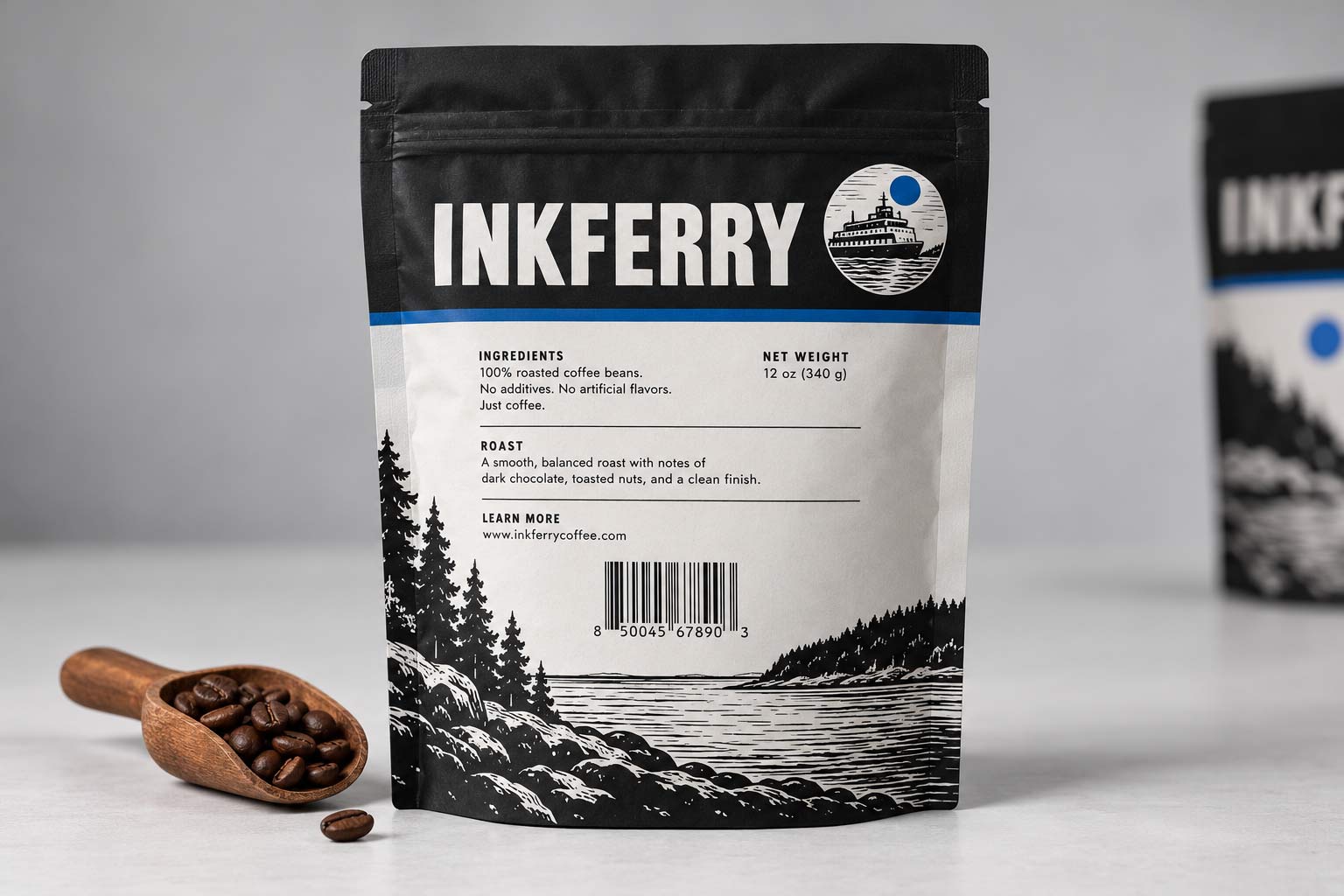
Look at it at actual size and in the actual colors, not zoomed in on a screen. A design that looks perfect at 400 percent on a monitor tells you nothing about how a two millimeter letter prints on film.
- Print the back panel at 100 percent on paper and read every line at arm's length.
- Check the color build of every text box. Small text should show one ink in your design software's separations or color panel.
- Look for thin white type on dark areas and either enlarge it, bolden it or move it.
- Keep fine copy away from the back seam and folds, where it can crease or disappear, as we covered in why your bag has a seam down the back.
- Leave the barcode its clear margins, because a crowded back panel is usually where barcodes get squeezed. More in why your barcode won't scan.
- Approve a physical proof when you can. Our guide to mockups and proofs explains what each one can and cannot show you.
How Savor Brands Handles Small Text
We would rather fix fine print in the file than explain it after the bags arrive, so small type is part of what we check before anything goes to press.
- We check the color build of small text during prepress and flag any fine copy built from several inks, with a suggested single-ink version.
- We flag thin reversed type that is likely to fill in, and suggest a size, weight or placement that will hold.
- We tell you the minimum size for your job, based on the film and the press it is running on, instead of a generic rule.
- We plan the white layer with you on clear and metallic bags, so the fine print sits on a solid background.
- We check it again on press. Small type is one of the things we look at on the first bags off the run, which we explain in why the first bag off the press matters.
Our
print-ready artwork checklist covers the rest of what a file needs before it goes to
custom coffee bags, whether you are printing
digitally or by
rotogravure.
Wrapping It Up: Sharp Fine Print Is a File Setting
Blurry small print is not bad luck and it is not a bad press. It is what happens when fine type is built from several inks, reversed too thin, or left floating over clear or metallic film. Set small text in one solid ink, give reversed type size and weight, put fine copy on a solid panel, and check everything at actual size.
Do those four things and the words customers actually read will print as cleanly as your logo. If you want a second pair of eyes before you send a file,
send us your back panel and we will tell you what will print sharp and what needs to change.